Icon of program: Jumpcut

Jumpcut for Mac

  • Free
  • 4
    50
  • 32.6K
  • V0.84
Free Download for Mac

View an ad to download for free

Jumpcut: Minimal clipboard history with bezel interface for Mac users

Jumpcut by Steve Cook is a minimalist clipboard buffer for Mac that rescues recently copied text and keeps it accessible. It records copied text into a local history and offers quick recall without switching apps. The app presents a translucent HUD for keyboard navigation and lives in the menu bar, delivering a low-overhead, keyboard-first workflow. It targets Mac power users, developers, and writers who copy many snippets and want a compact, reliable clipboard tool.

Top Recommended Alternative

What Jumpcut does and how it fits into text-heavy workflows

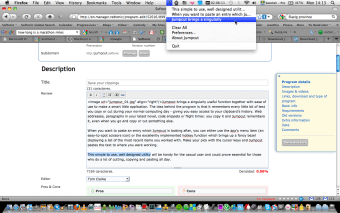
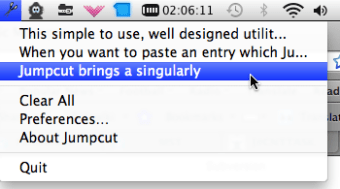
Jumpcut records and stores text clippings, capturing each copied snippet so you can paste previous items later. The tool exposes a translucent bezel HUD that lets you cycle through history with arrow keys and paste without leaving the current app. For quick reference, it offers a menu-bar scissors icon listing recent clippings, which keeps the clipboard local and focused on plain text rather than multimedia.

Does Jumpcut affect system resources or compatibility?

The app emphasizes a very low memory footprint and stays out of the way until invoked, making it suitable for long typing sessions. It runs as a Universal Binary, supporting both Intel and Apple Silicon Macs, and the developer updated it from 32-bit to 64-bit compatibility. Those platform choices reduce compatibility friction on modern desktop machines while keeping background overhead minimal.

Is Jumpcut safe to use on a live machine?

Jumpcut is open source under the MIT License, which allows community inspection and forks, a useful safety signal for administrators who audit utilities. The project has a long track record of stability spanning more than fifteen years, and the developer maintains the source in a modern repository for compatibility. Note that the tool handles text only and does not accept image or file objects.

Do I need technical knowledge to operate it effectively?

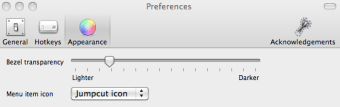
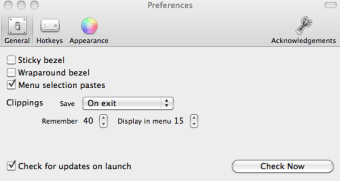
The app favors a keyboard-centric workflow with customizable hotkeys and a default Control-Option-V activation, which suits users who keep hands on the keyboard. History length is user-definable, typically up to 99 items, and basic use requires little configuration. Advanced clipboard features such as cloud sync or image support are absent, so the learning curve is modest but power users expecting multimedia or cross-device syncing will find the scope deliberately narrow.

Jumpcut is a focused tool best for keyboard-first text workflows

Jumpcut is a dependable, single-purpose utility for people who copy many text snippets on a single Mac and prefer keyboard control over visual menus. It rewards disciplined clipboard habits and local workflows, but its text-only design means you must pair it with other tools for images or cross-device syncing. Recommended.


  • Pros

    • Translucent bezel HUD for quick, keyboard-driven clipboard recall
    • Very low memory footprint, stays inactive until invoked
    • Open-source MIT License allows community audits and forks
    • Universal Binary supports Intel and Apple Silicon Macs
  • Cons

    • Text-only clippings; no image or file support
    • No built-in cloud or cross-device synchronization
    • Deliberately minimal feature set may disappoint multimedia users
 0/5

App specs

Also available in other platforms

Program available in other languages


Icon of program: Jumpcut

Jumpcut for Mac

  • Free
  • 4
    50
  • 32.6K
  • V0.84
Free Download for Mac

View an ad to download for free


User reviews about Jumpcut

4

8 reviews

Add review

Main reviews for you

  • Anonymous user

    Used it for years, it stopped working and I panicked! Then I found another similar app recommending updating Privacy Accessibility preferences for their similar app. If you're having issues with Jumpcut in Mojave try adding these permissions:System Preferences> Security + Privacy> Privacy Tab> Accessibility Option> Add Jumpcut to the ListSystem Preferences> Security + Privacy> Privacy Tab> Full Disk Access Option> Add Jumpcut to the ListSystem Preferences> Security + Privacy> Privacy Tab> Automation Option> Add Jumpcut to the ListRestart Jumpcut and hopefully it works for you like it did for me. for another few years of usage!

  • Anonymous user

    One of those basic apps that effortlessly and flawlessly provides functionality omitted from the MacOSX.

  • Anonymous user

    Worked for years, now it does not. . It worked fine for years. Now that I'm using Vivaldi for a browser, nothing will paste into the browser. I'm afraid it's time to move on if I can't find tech support or some other answer. Cons: It copies but does not past in certain browsers.

  • Anonymous user

    Have loved it for years and want it for my iPhone, can't find alternative.. Have loved it for years and want it for my iPhone. Can't find an alternative however for the iPhone. Pros: Love it totally. Cons: same app for iPhone

  • Anonymous user

    A life and time saver. This is a great app. I use it a lot for posting to Excel….also for posting news excerpts plus the link to FB. I wouldn't be without it. Been looking for an app like this for a long long time.

  • Anonymous user

    It does work, I figured it out.. Hotkey: I used command J, but lots of combinations don't work though.Bezel: use the arrow keys to navigate between the copies!Pros: easy to install; easy to use (once you have figured it out); very useful.Cons: lacks manual

More

You may also like

Alternatives to Jumpcut

Explore Apps

Latest articles

Laws concerning the use of this software vary from country to country. We do not encourage or condone the use of this program if it is in violation of these laws.
Softonic

Is Jumpcut safe?

100/100

Score result: Clean

This file passed a comprehensive security scan using VirusTotal technology. It is safe to download.

  • Virus free
  • Spyware free
  • Malware free
  • Verified by Security Partners

    VirusTotal logo

Scan Info

Last scan
Tuesday, April 1, 2025
Scan provider
VirusTotal · Full report

File Integrity

File
Jumpcut_V0.84.bz2
SHA256
ef43d3fee801188a3f6fb9ba14bf738aa2d103bd4986b390e9820e7390c6178c
SHA1
8ab5374f2d9808137c00604e2b6da153d4633497

Softonic security commitment

Jumpcut has been thoroughly scanned by our advanced security systems and verified by industry-leading partners. This file comes from the official developer and has passed all our security checks, showing no signs of viruses, malware, or spyware. For more information, visit our Security and Trust Center

Signed in to Softonic as